
Before starting this lab, make sure you are on the stage branch
git branch --show-current
stage
Before starting this section, it might be helpful to close out your file tabs at the top of your VSCode editor from the previous lab task. This is certainly not mandatory but might keep the flow more organized and uncluttered.
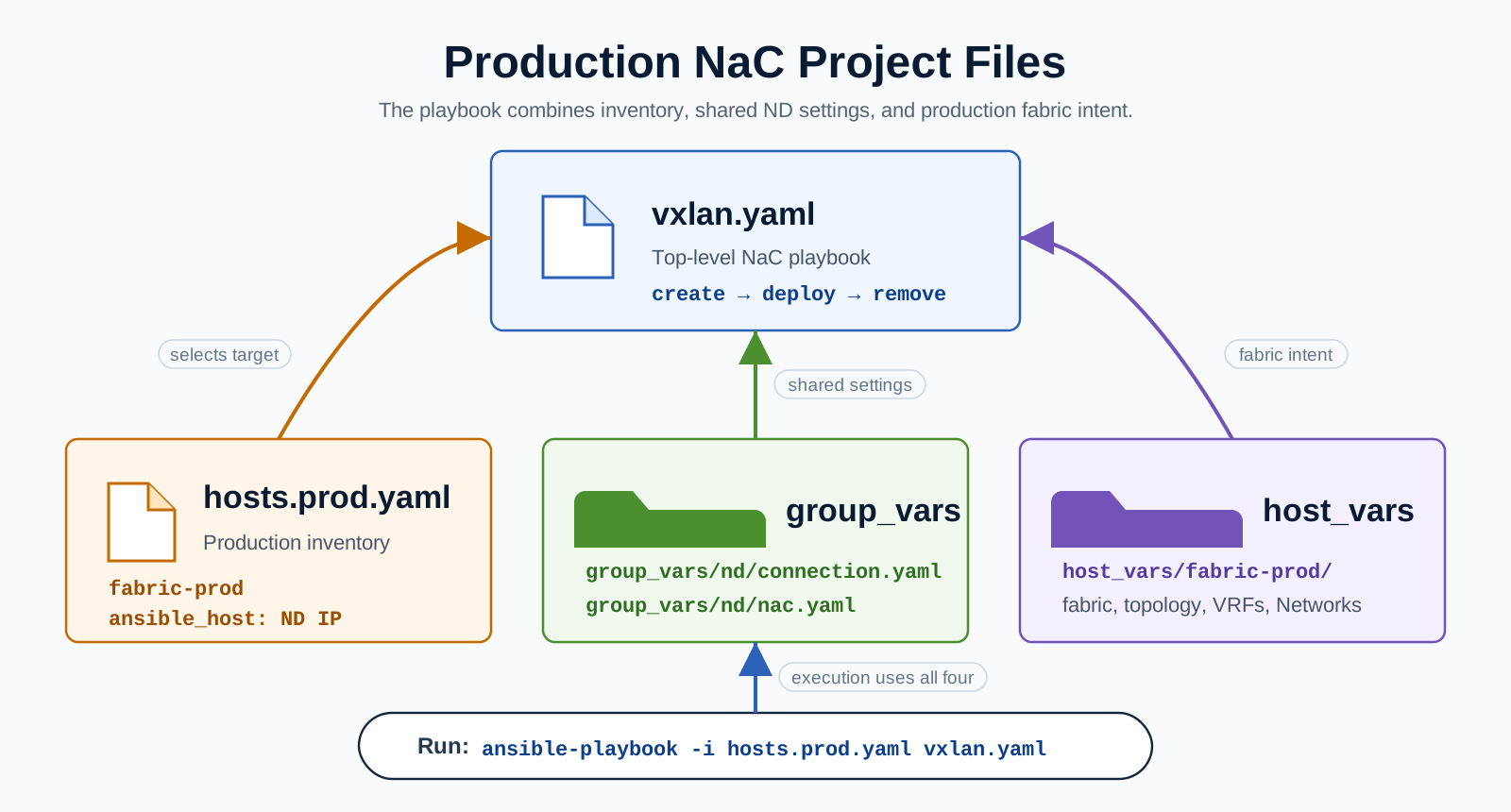
All of our previous tasks targeted the staging fabric. Now add a second inventory host called
fabric-prod. Both staging and production are reached through the same ND controller, but each inventory
host points to a different fabric model under host_vars.
cat << EOF > ~/workspace/CiscoLive/DEVWKS-3928/hosts.prod.yaml
---
all:
  children:
    nd:
      hosts:
        fabric-prod:
          ansible_host: 10.15.0.11
EOF
Create the production model files using the same VRF and Network intent as staging, but attach them to the production leaf switches.
mkdir -p ~/workspace/CiscoLive/DEVWKS-3928/host_vars/fabric-prod
cat << EOF > ~/workspace/CiscoLive/DEVWKS-3928/host_vars/fabric-prod/fabric.nac.yaml
---
vxlan:
  fabric:
    name: fabric-prod
    type: VXLAN_EVPN
  global:
    ibgp:
      bgp_asn: "65002"
EOF

cat << EOF > ~/workspace/CiscoLive/DEVWKS-3928/host_vars/fabric-prod/topology.nac.yaml
---
vxlan:
  topology:
    switches:
      - name: prod-spine1
        serial_number: 9H0KEZ39JG0
        role: spine
        management:
          default_gateway_v4: 10.15.1.1
          management_ipv4_address: 10.15.1.14

      - name: prod-leaf1
        serial_number: 9YR93TD86FF
        role: leaf
        management:
          default_gateway_v4: 10.15.1.1
          management_ipv4_address: 10.15.1.15

      - name: prod-leaf2
        serial_number: 9569YWESCLA
        role: leaf
        management:
          default_gateway_v4: 10.15.1.1
          management_ipv4_address: 10.15.1.16
EOF

cat << EOF > ~/workspace/CiscoLive/DEVWKS-3928/host_vars/fabric-prod/vrfs.nac.yaml
---
vxlan:
  overlay:
    vrfs:
      - name: vrf_devnet
        vrf_id: 150001
        vlan_id: 2000
        vrf_attach_group: all_leaf
    vrf_attach_groups:
      - name: all_leaf
        switches:
          - hostname: prod-leaf1
          - hostname: prod-leaf2
EOF

cat << EOF > ~/workspace/CiscoLive/DEVWKS-3928/host_vars/fabric-prod/networks.nac.yaml
---
vxlan:
  overlay:
    networks:
      - name: network_devnet1
        vrf_name: vrf_devnet
        net_id: 130001
        vlan_id: 2301
        vlan_name: network_devnet1_vlan2301
        gw_ip_address: 10.10.10.1/24
        network_attach_group: esxi
      - name: network_devnet2
        vrf_name: vrf_devnet
        net_id: 130002
        vlan_id: 2302
        vlan_name: network_devnet2_vlan2302
        gw_ip_address: 10.10.11.1/24
        network_attach_group: esxi
    network_attach_groups:
      - name: esxi
        switches:
          - hostname: prod-leaf1
            ports:
              - Ethernet1/15
          - hostname: prod-leaf2
            ports:
              - Ethernet1/15
EOF
Staging and production now share the same NaC structure. The only fabric-specific differences are the fabric folder name and the leaf switch hostnames in the attachment groups.