Before starting this lab, make sure you are on the stage branch
git branch --show-current
stage
Make sure you are in the root directory of the project folder.
cd ~/workspace/CiscoLive/DEVWKS-3928
First issue the git status . command to see the list of files that have been modified in the previous
lab tasks.
git status .
On branch stage
Untracked files:
  (use "git add ..." to include in what will be committed)
        .gitlab-ci.yml
        ansible.cfg
        group_vars/
        host_vars/
        hosts.prod.yaml
        hosts.stage.yaml
        requirements.txt
        requirements.yaml
        verify_overlay.yaml
        vxlan.yaml

no changes added to commit (use "git add" and/or "git commit -a")
Make sure your modified list of files generally matches the NaC files above. If it does not, you may have missed a step or not saved one of the model files.
Now commit the NaC model and pipeline files to your Git repo.
git add .
git commit -m "initial NaC setup"
git commit -m "initial NaC setup"
[stage c8a8470] initial NaC setup
 19 files changed, 387 insertions(+)
 create mode 100644 .env
 create mode 100644 .gitlab-ci.yml
 create mode 100644 ansible.cfg
 create mode 100644 group_vars/nd/connection.yaml
 create mode 100644 group_vars/nd/nac.yaml
 create mode 100644 host_vars/fabric-prod/fabric.nac.yaml
 create mode 100644 host_vars/fabric-prod/networks.nac.yaml
 create mode 100644 host_vars/fabric-prod/topology.nac.yaml
 create mode 100644 host_vars/fabric-prod/vrfs.nac.yaml
 create mode 100644 host_vars/fabric-stage/fabric.nac.yaml
 create mode 100644 host_vars/fabric-stage/networks.nac.yaml
 create mode 100644 host_vars/fabric-stage/topology.nac.yaml
 create mode 100644 host_vars/fabric-stage/vrfs.nac.yaml
 create mode 100644 hosts.prod.yaml
 create mode 100644 hosts.stage.yaml
 create mode 100644 requirements.txt
 create mode 100644 requirements.yaml
 create mode 100644 verify_overlay.yaml
 create mode 100644 vxlan.yaml
git push --set-upstream origin stage
Enumerating objects: 27, done.
Counting objects: 100% (27/27), done.
Delta compression using up to 8 threads
Compressing objects: 100% (25/25), done.
Writing objects: 100% (26/26), 4.43 KiB | 907.00 KiB/s, done.
Total 26 (delta 4), reused 0 (delta 0), pack-reused 0
remote:
remote: To create a merge request for stage, visit:
remote:   http://10.15.0.159/Pod30_2025_01/DEVWKS-3928/-/merge_requests/new?merge_request%5Bsource_branch%5D=stage
remote:
To 10.15.0.159:Pod30_2025_01/DEVWKS-3928.git
 * [new branch]      stage -> stage
Branch 'stage' set up to track remote branch 'stage' from 'origin'.
Login to the GitLab instance by clicking the URL below or copying the URL into a new tab in your browser window:
Login using the information below:
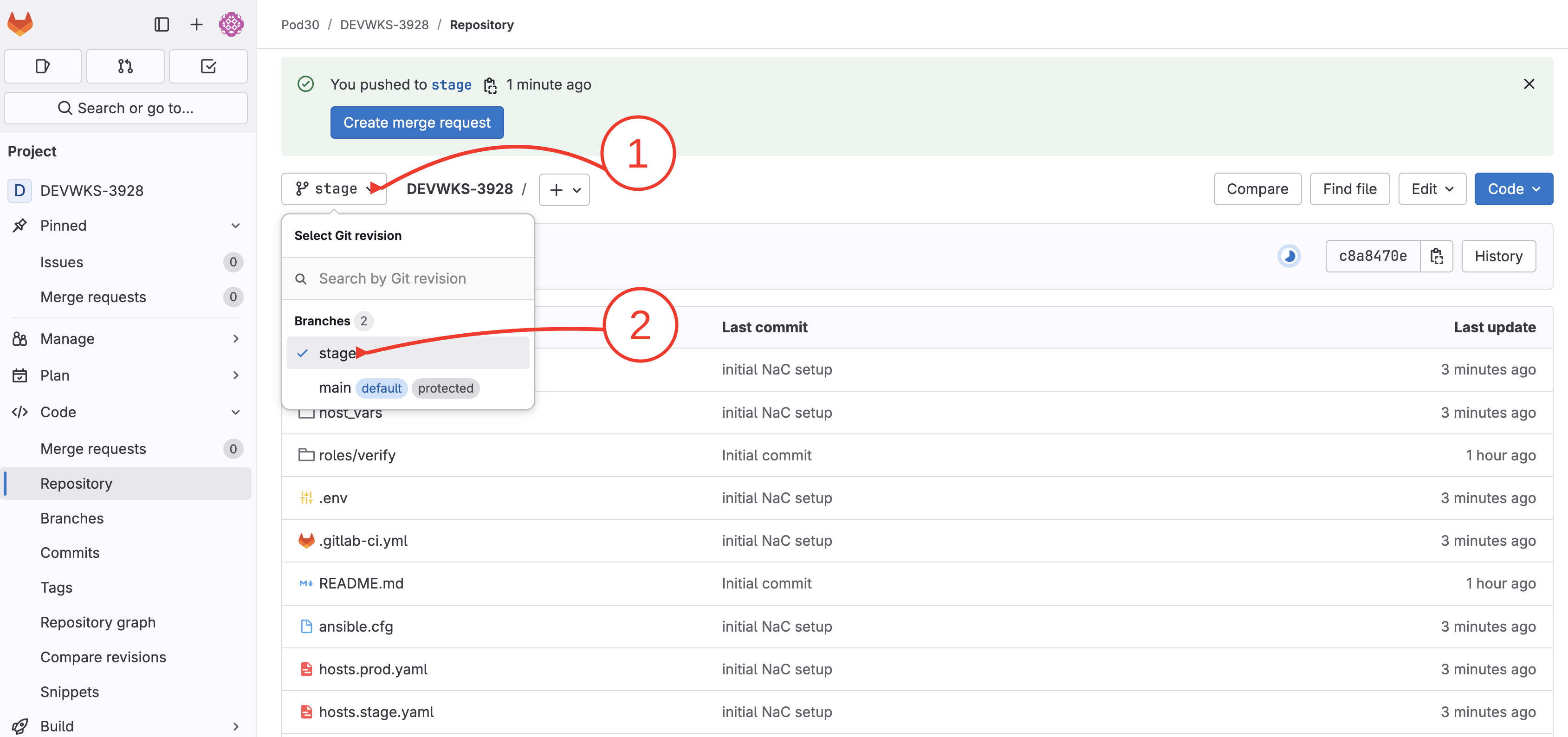
Select stage branch:
As soon as the code was committed to the stage branch, the NaC validate job was triggered. Open pipelines:
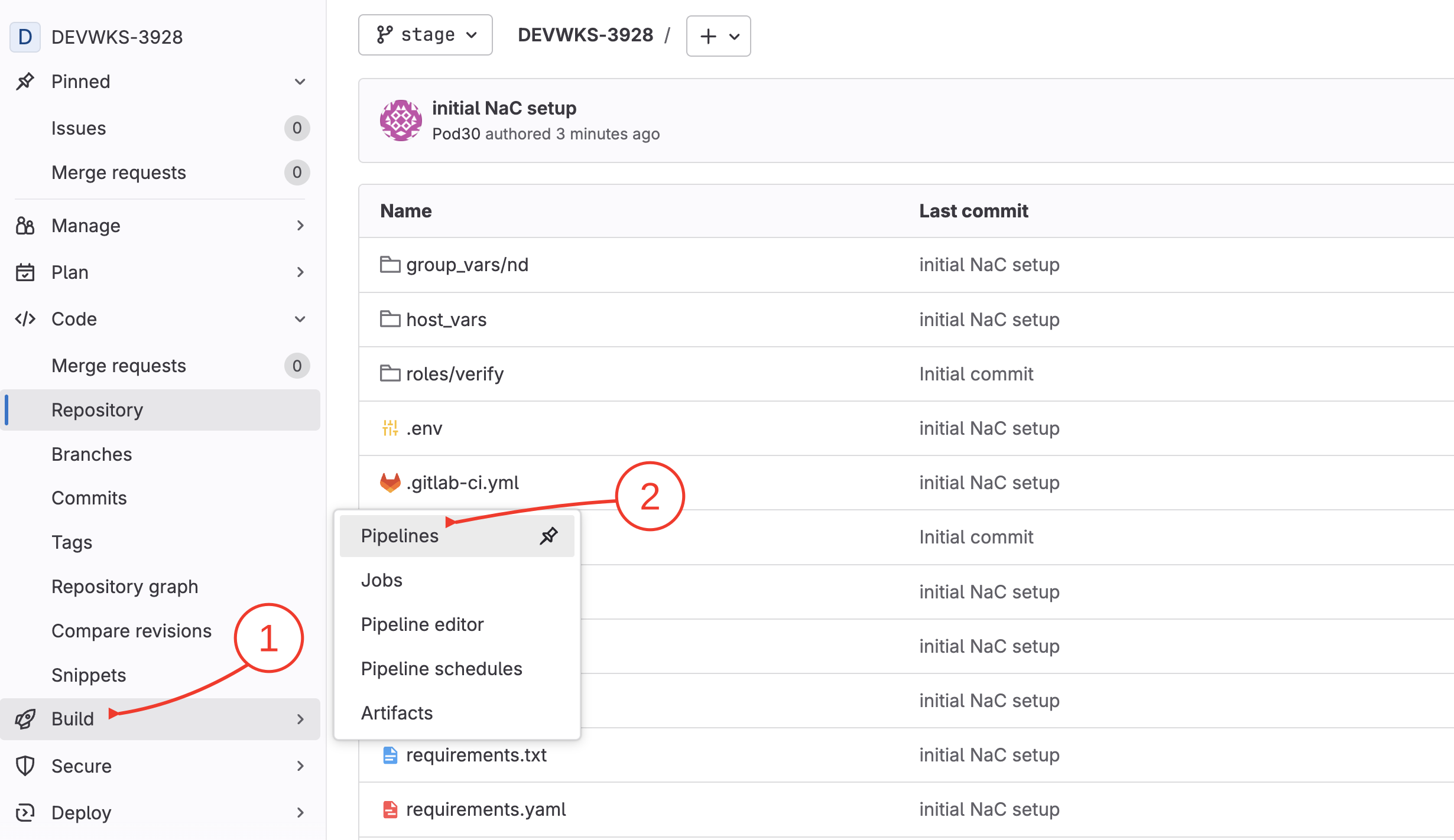
Only the validate stage is triggered when committing the code to the stage branch. A circle check icon indicates that the pipeline succeeded.
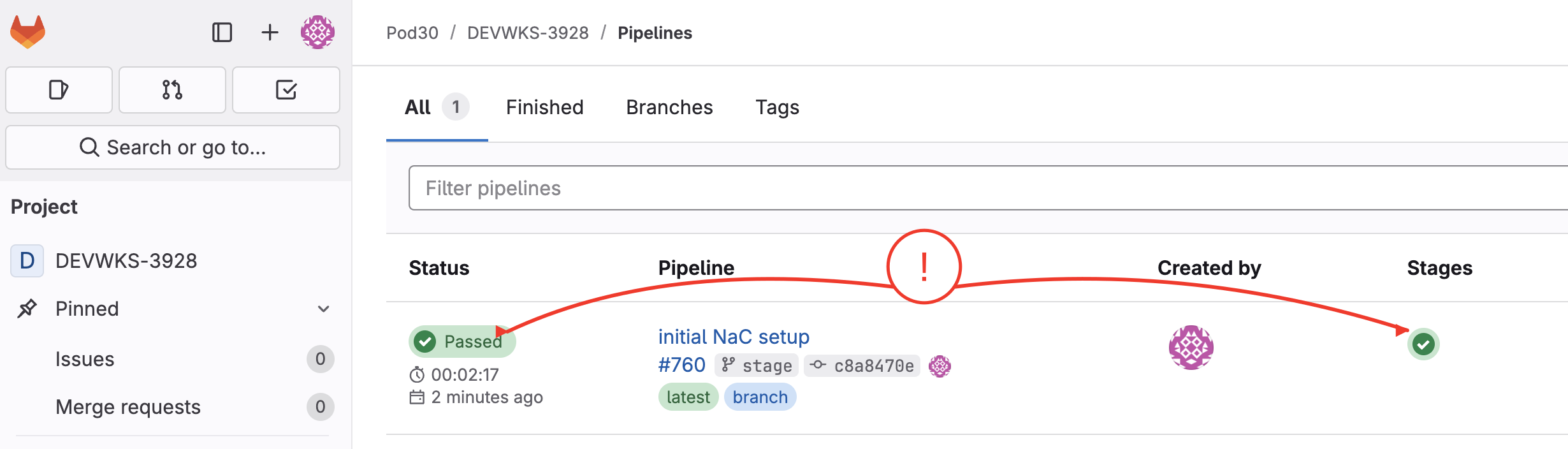
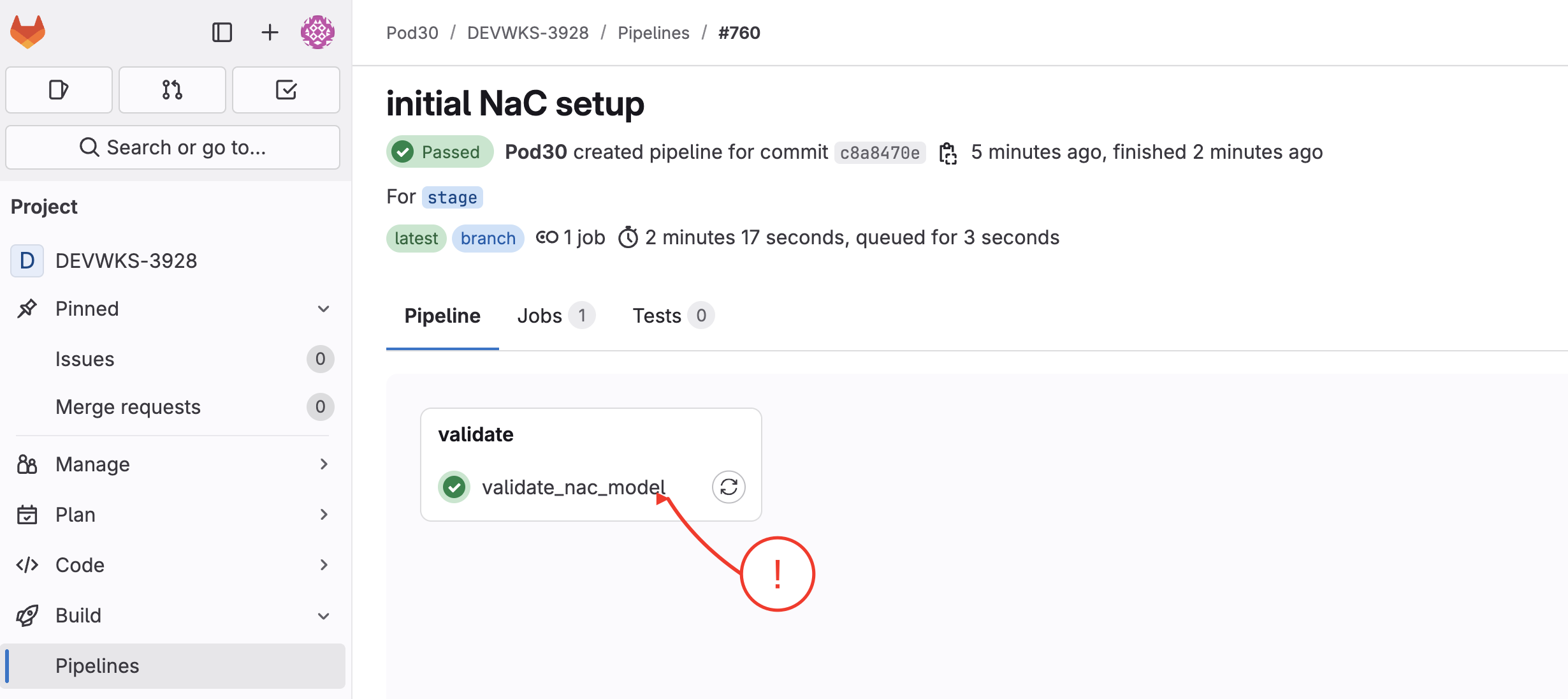
To review the validation run, click the pipeline status and confirm the validate_nac_model job
completed successfully.
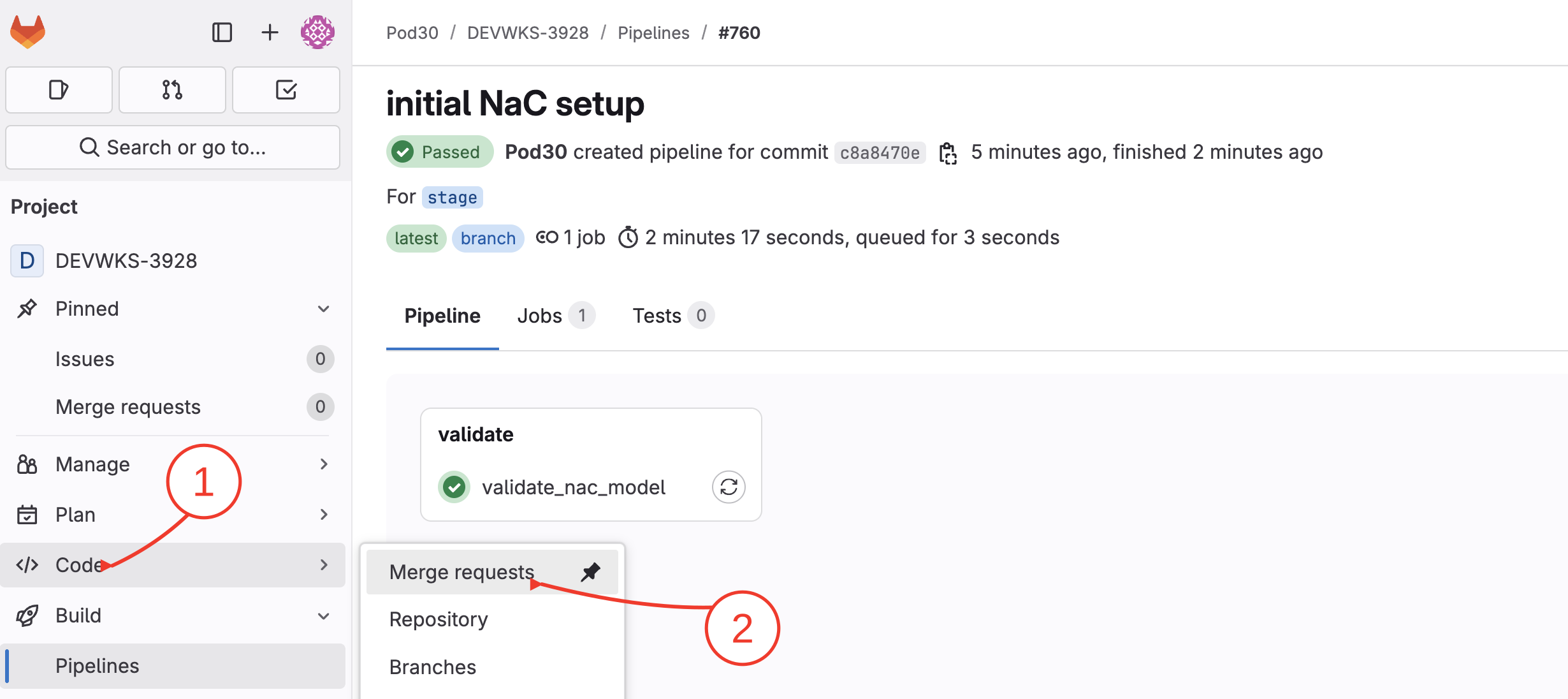
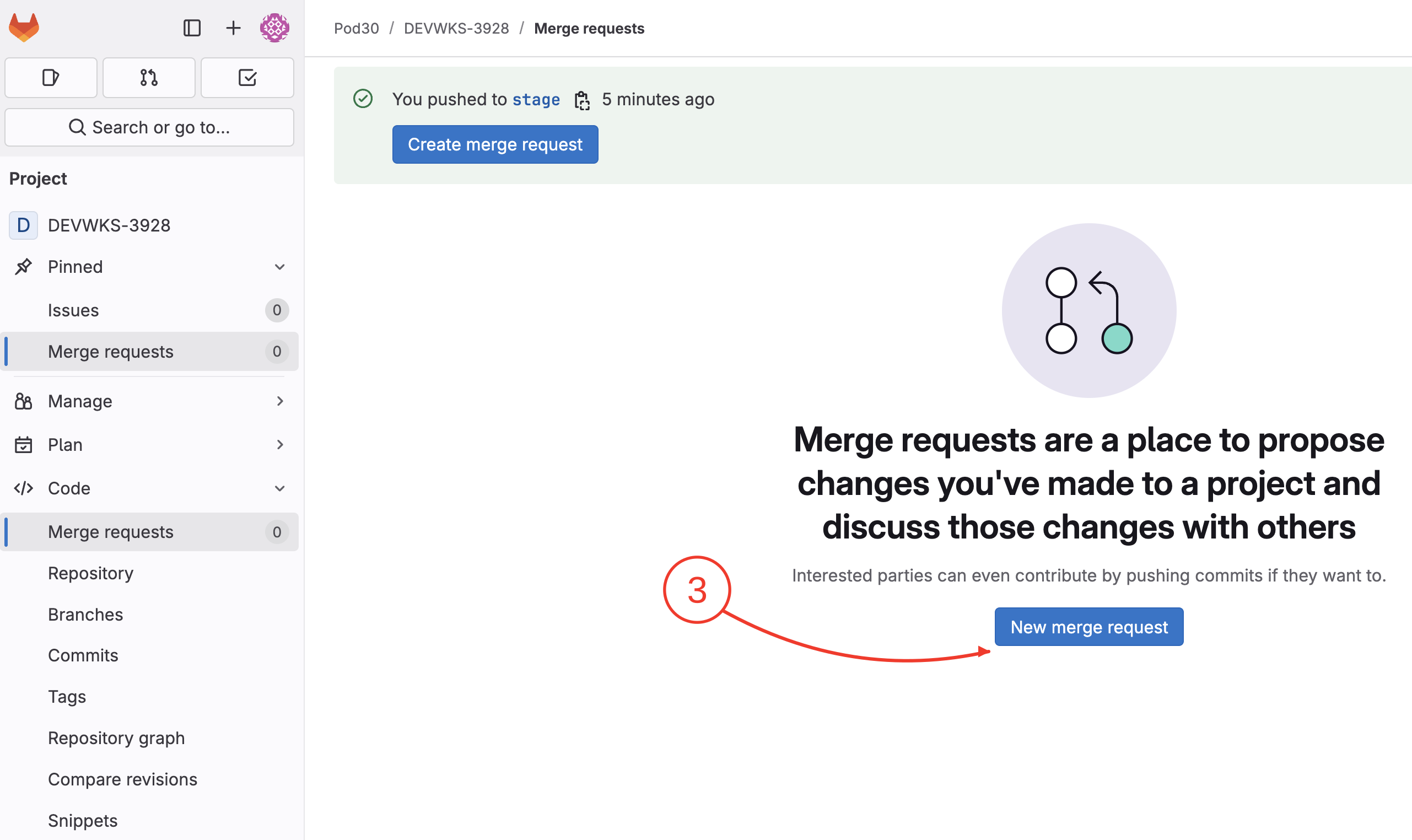
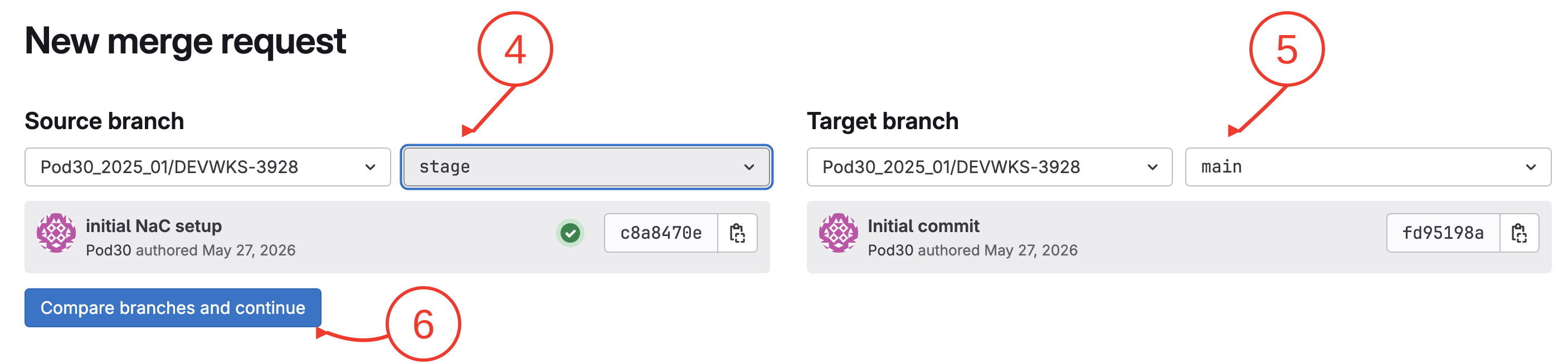
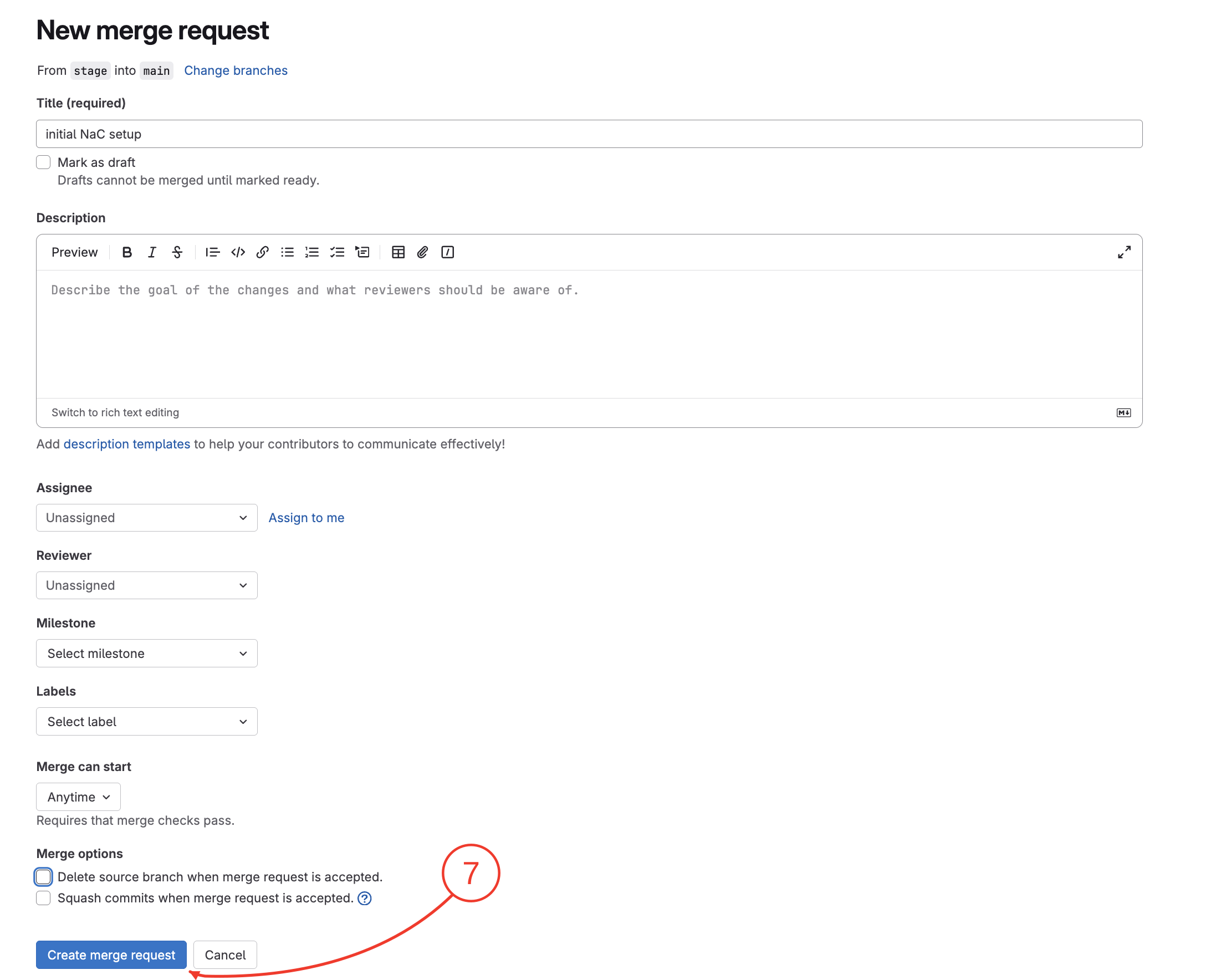
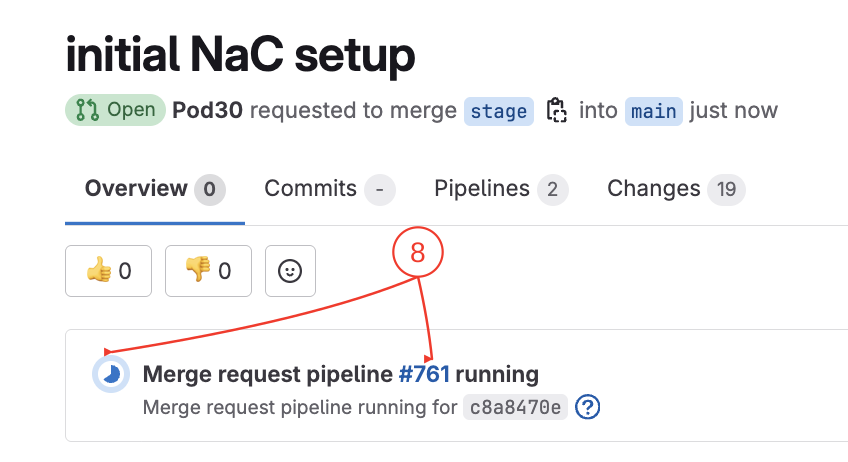
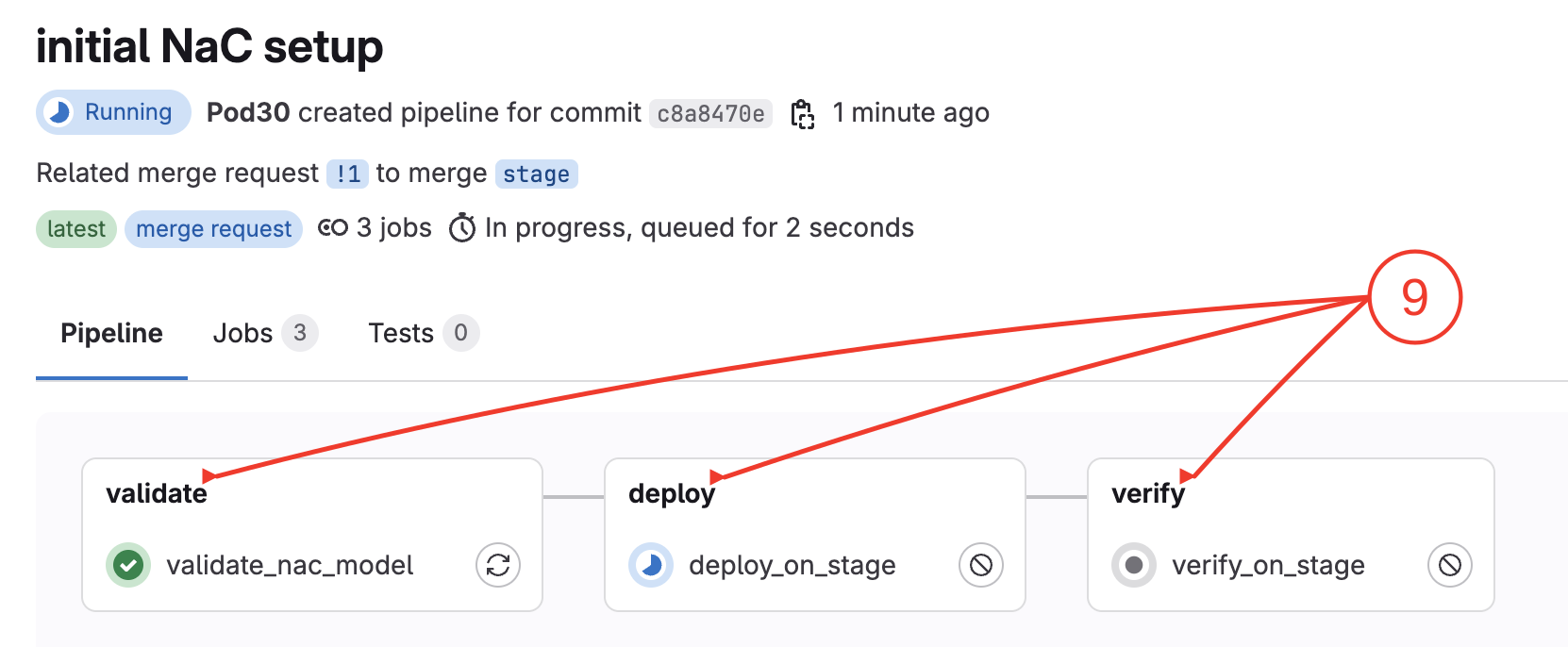
Now create a merge request to deploy and verify the model against the ND staging fabric.
In your browser, open another tab and go to Nexus Dashboard:
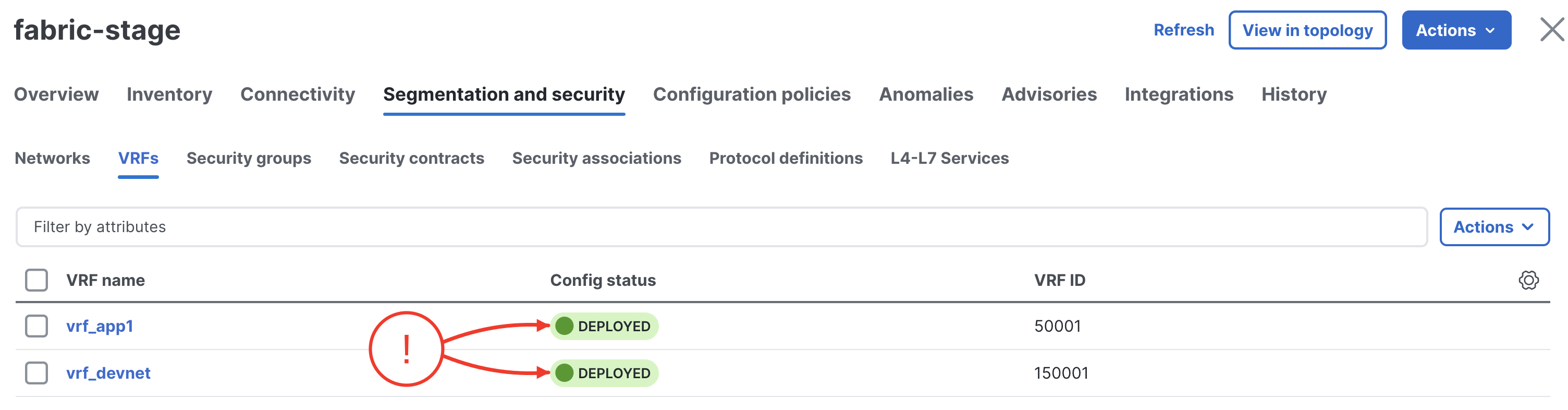
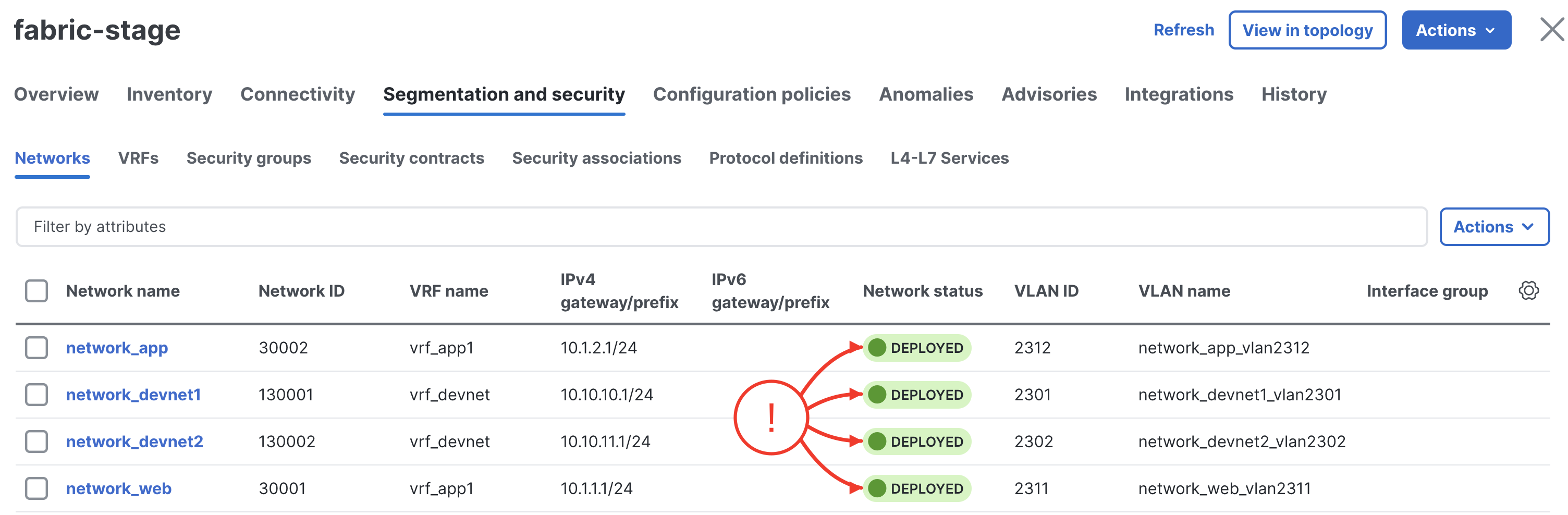
Open fabric-stage and verify the NaC-managed VRFs and Networks are provisioned: