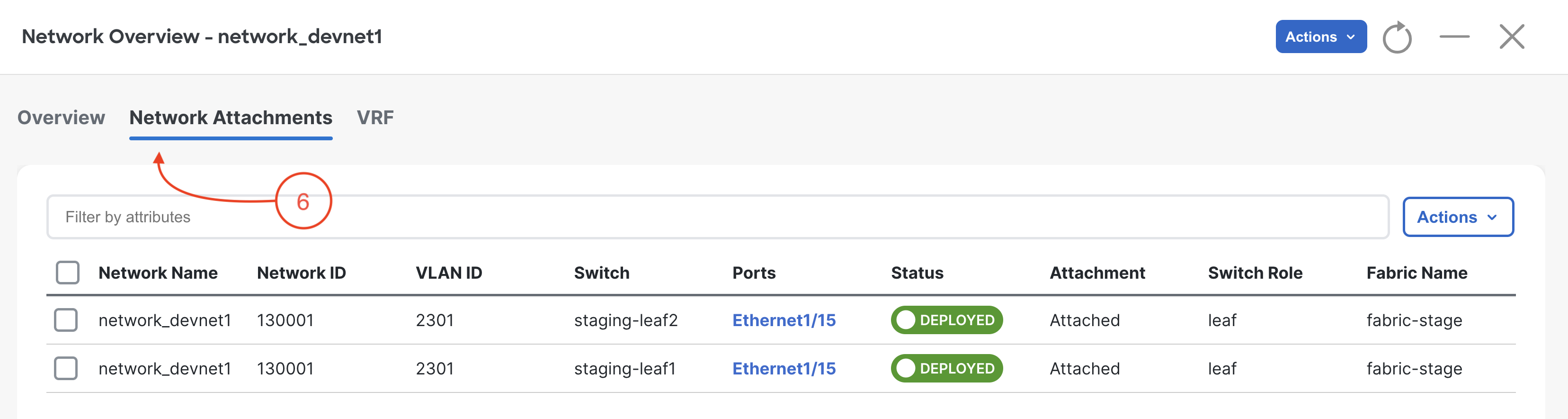
The NaC playbook deployed the same VRF and Network intent that you modeled in
host_vars/fabric-stage. Now verify that ND shows the intended overlay objects on the staging fabric.
In your browser Connect to ND:
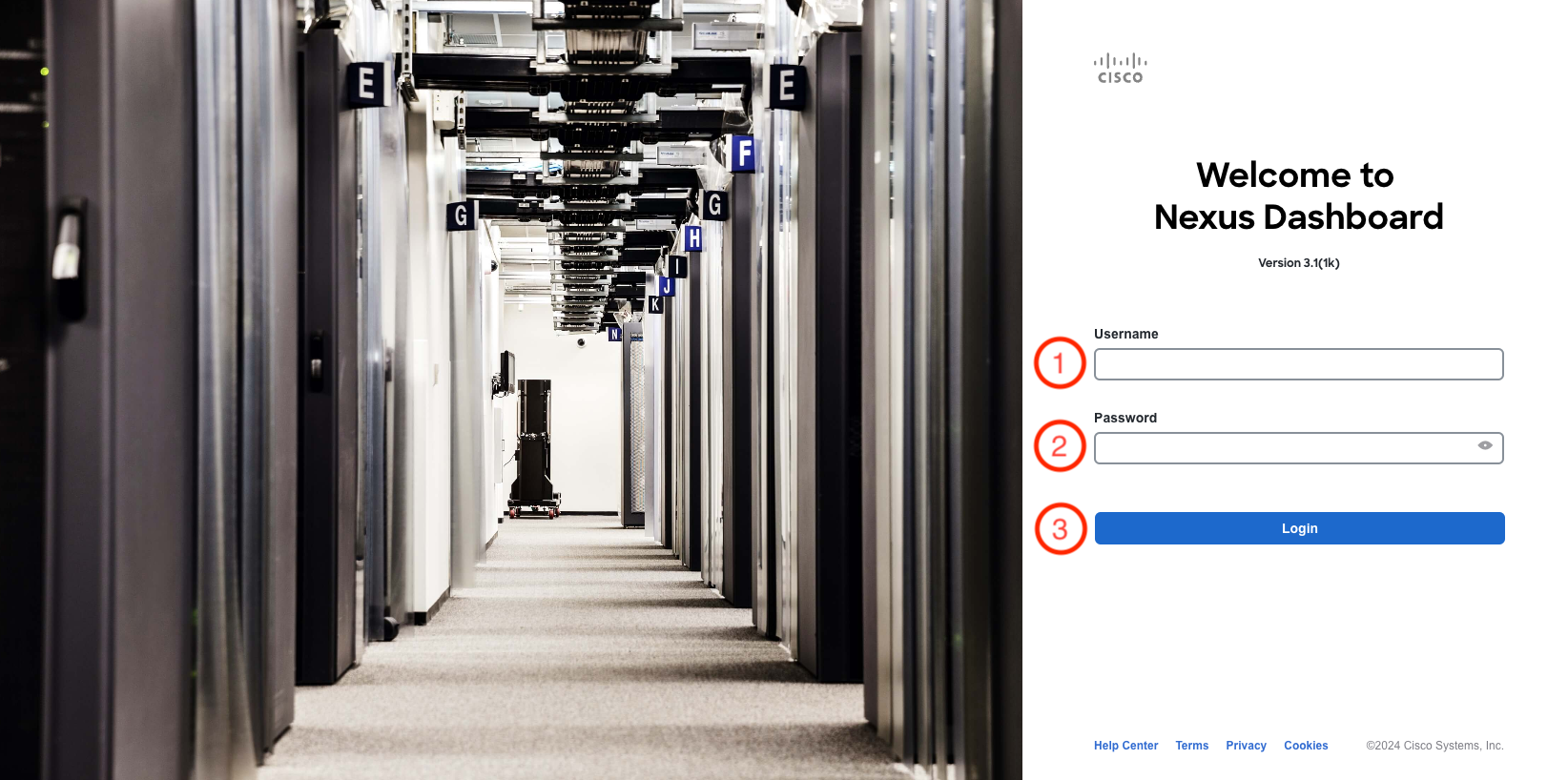
At the Nexus Dashboard login screen, login using your username and password:
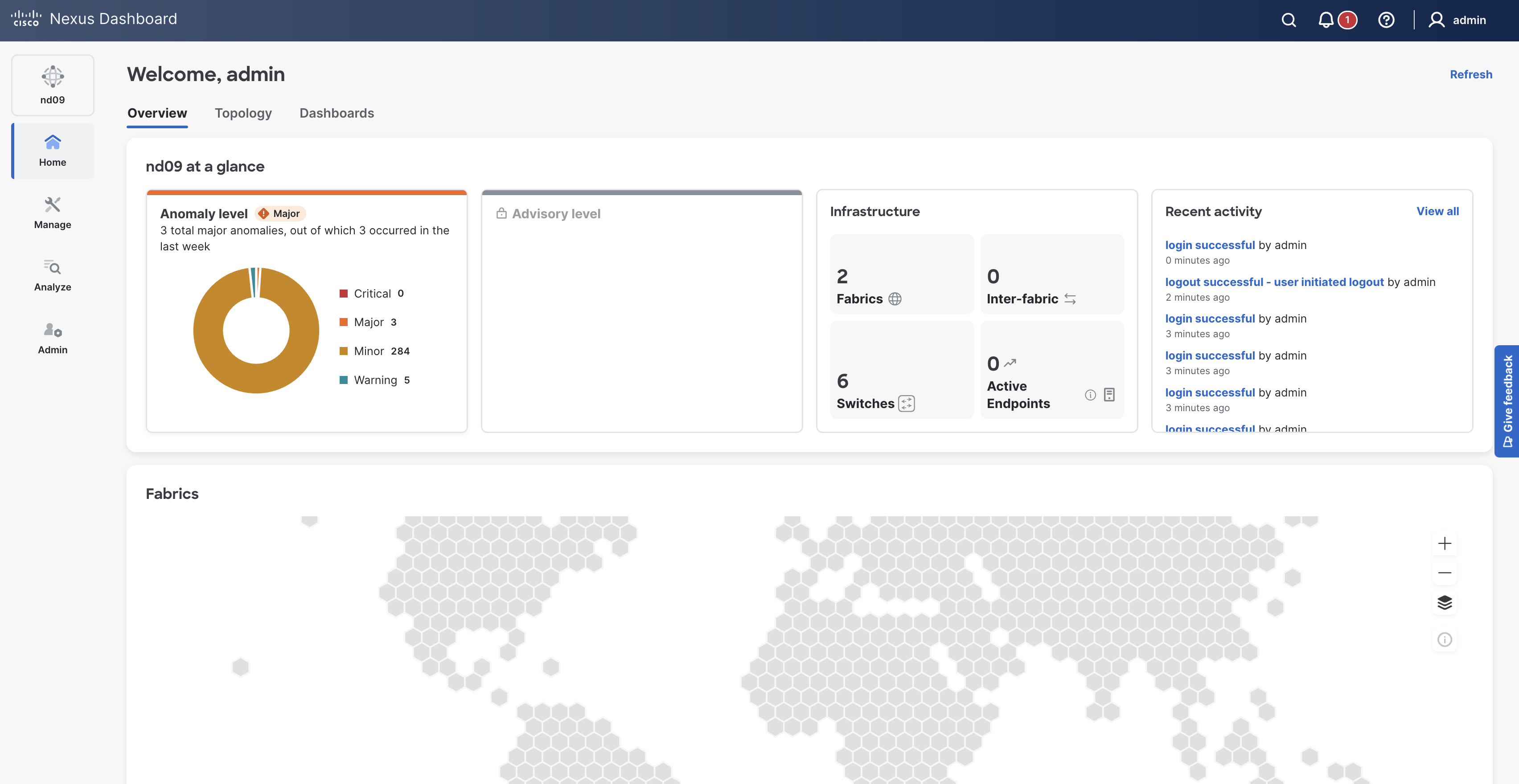
Once you have logged in you will be greeted with the ND Overview Page.
This page provides a high level overview of the health of the ND controller and the fabrics it manages.
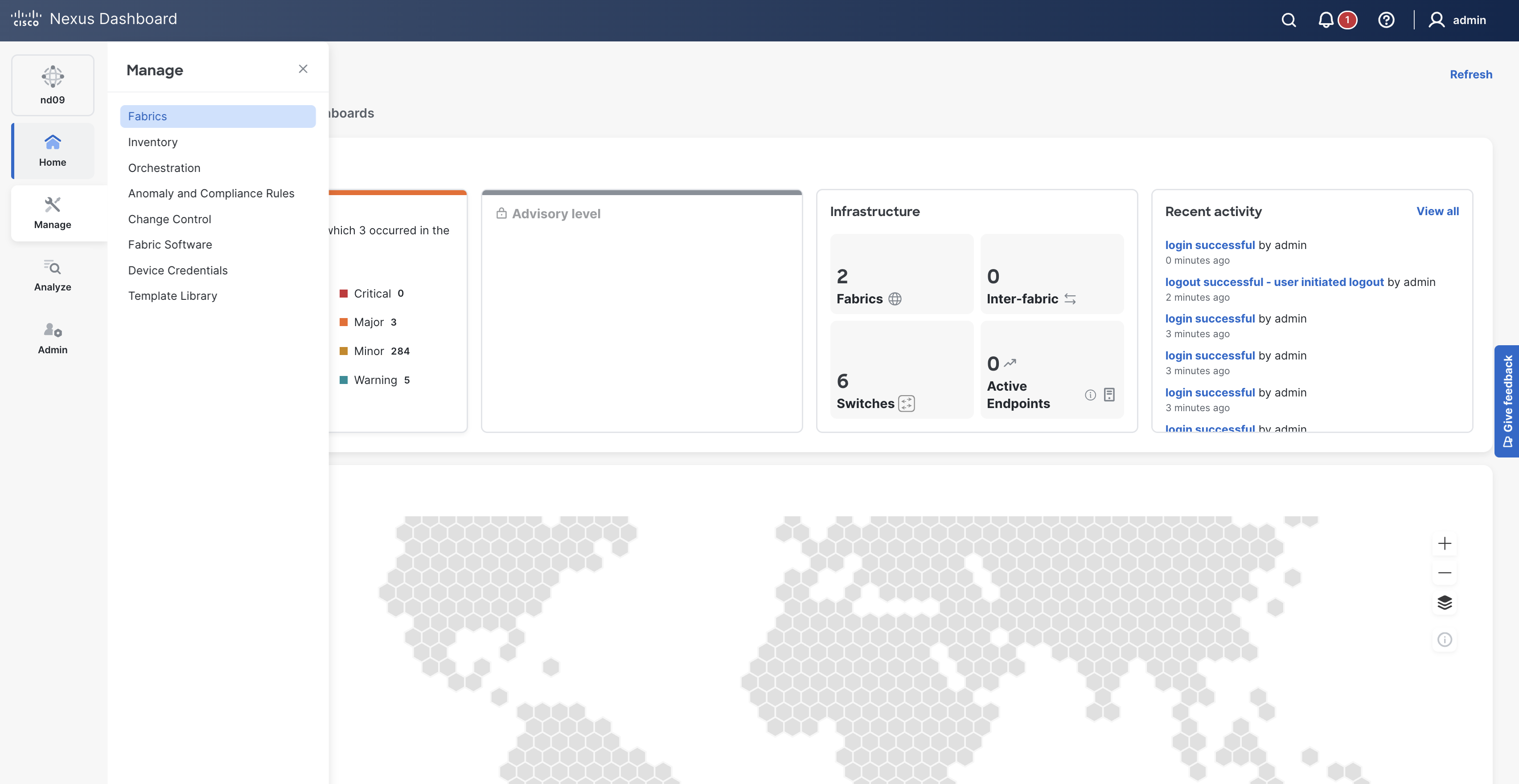
Hover over Manage
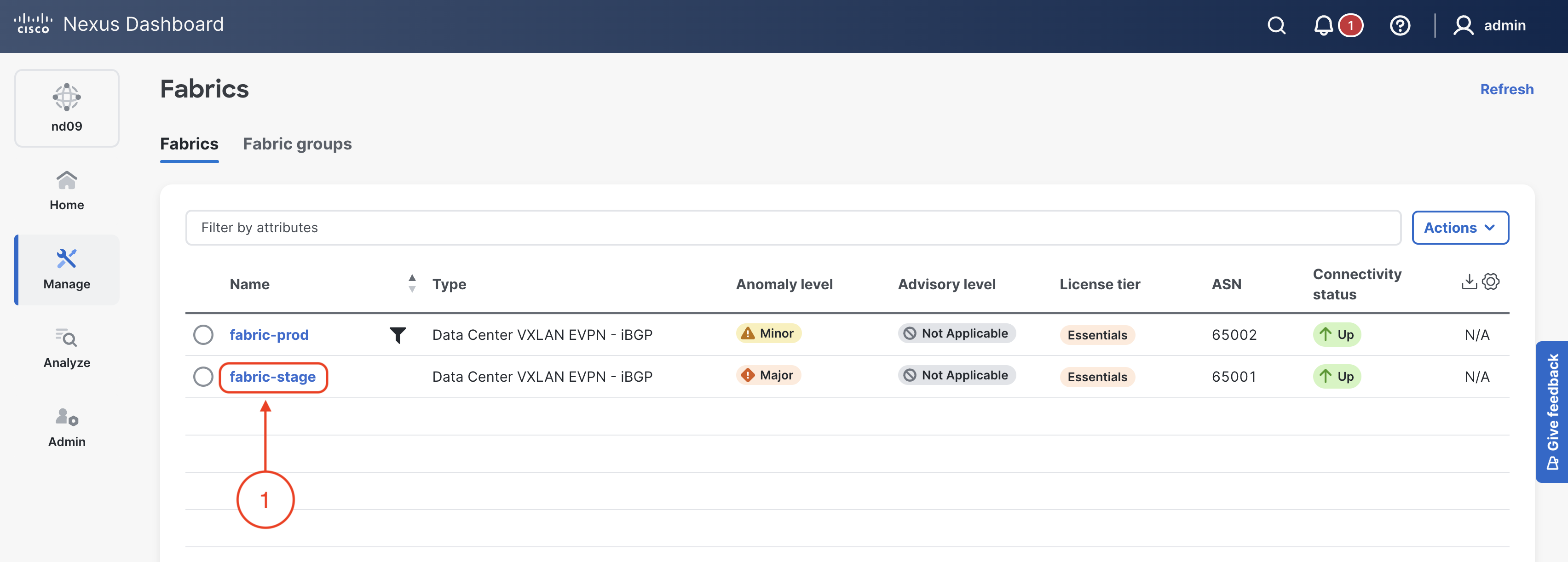
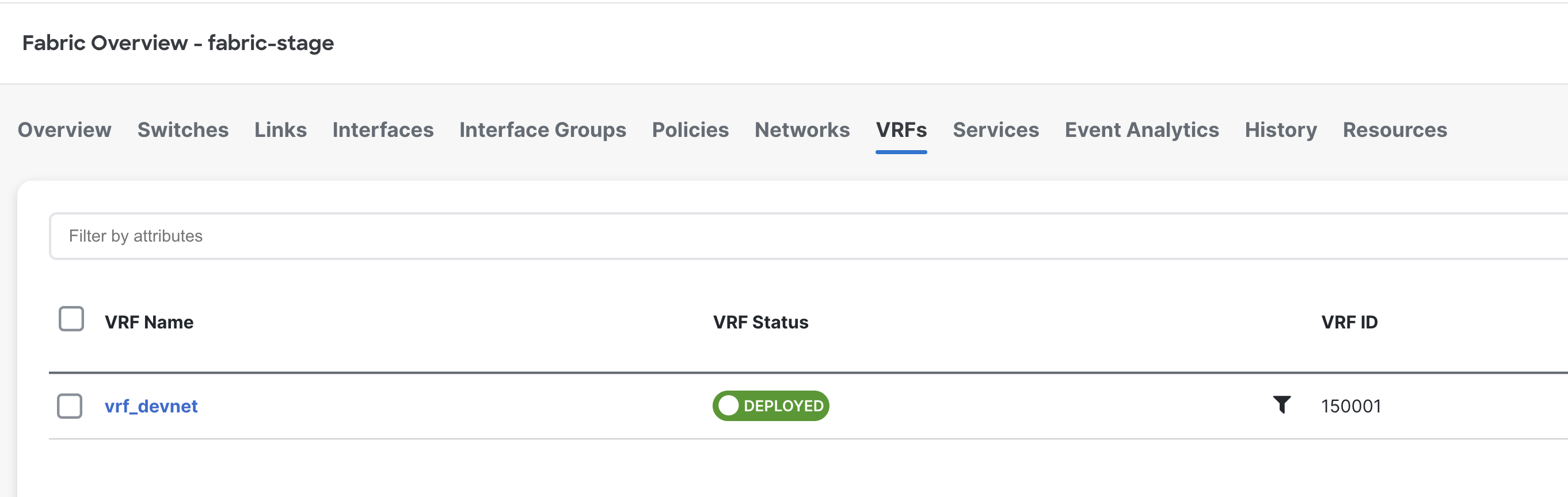
On your browser that is open to Nexus Dashboard, click the VRFs tab:
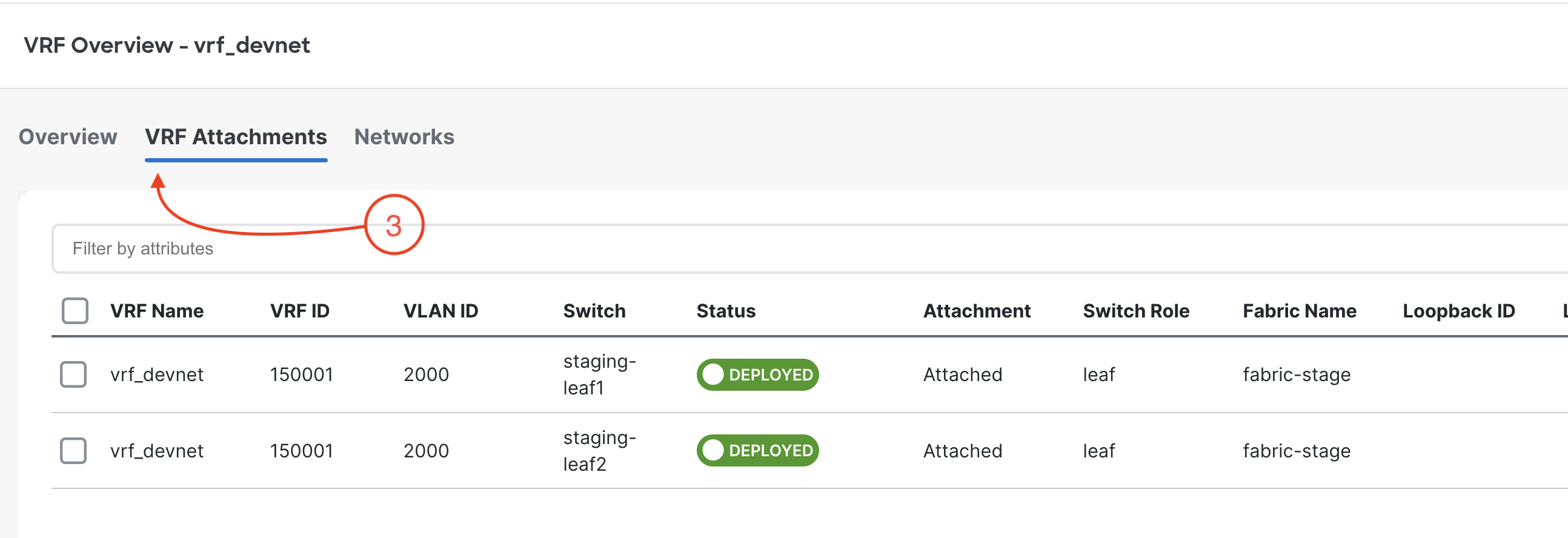
vrf_devnet is created
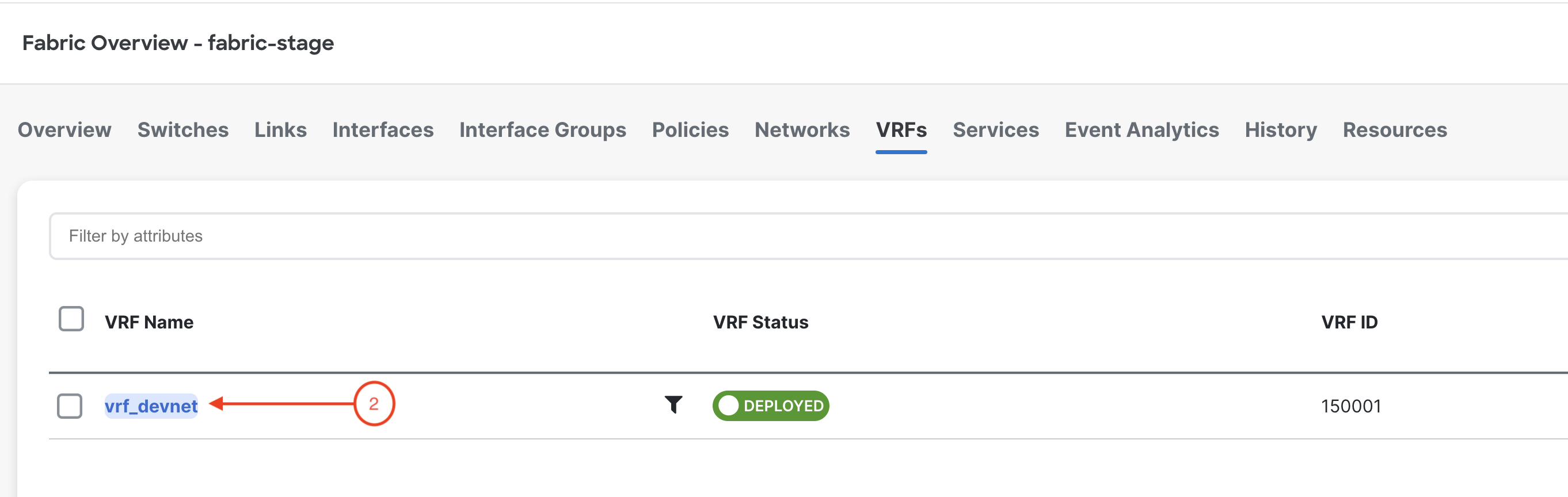
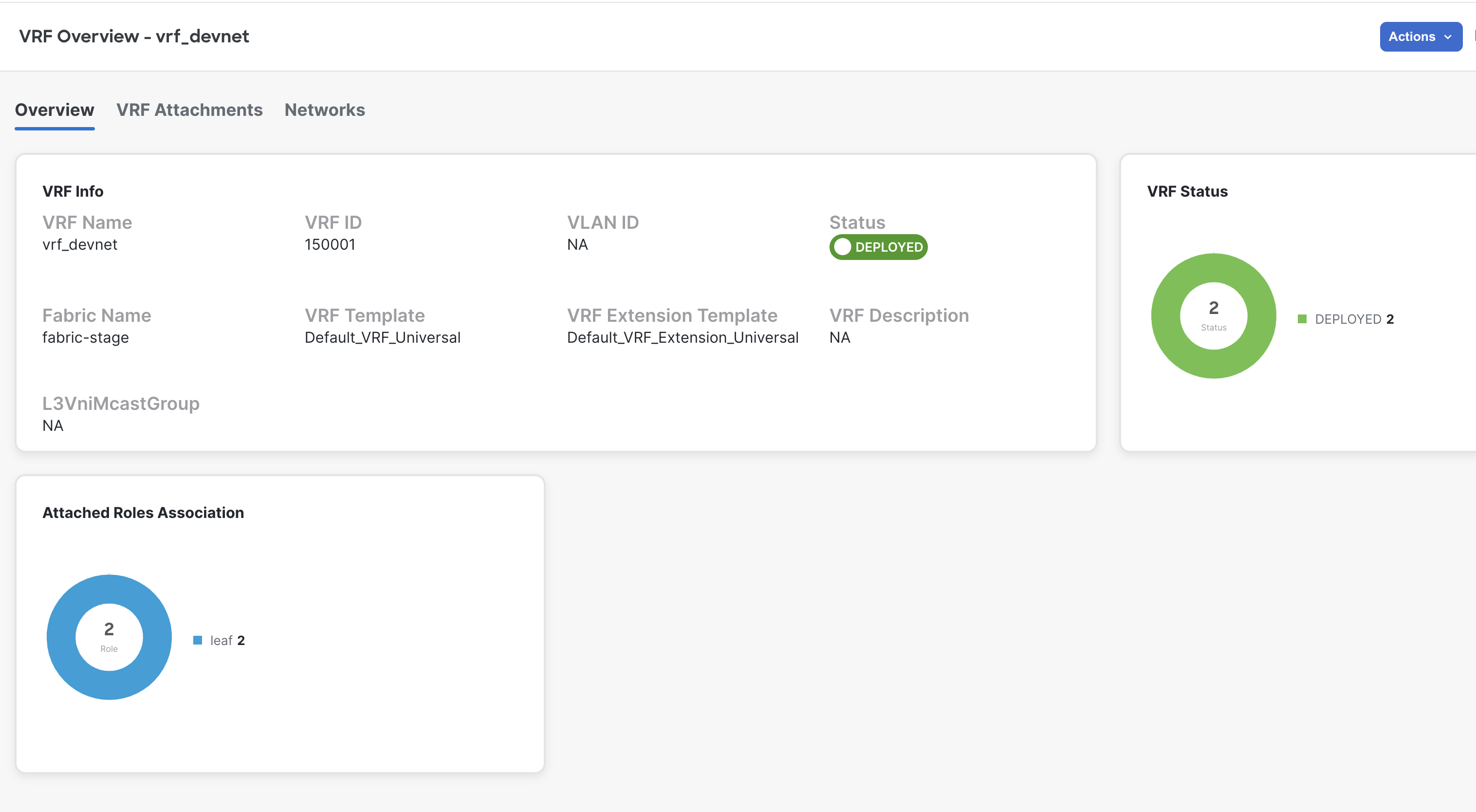
vrf_devnet is attached to both leaf
switches.
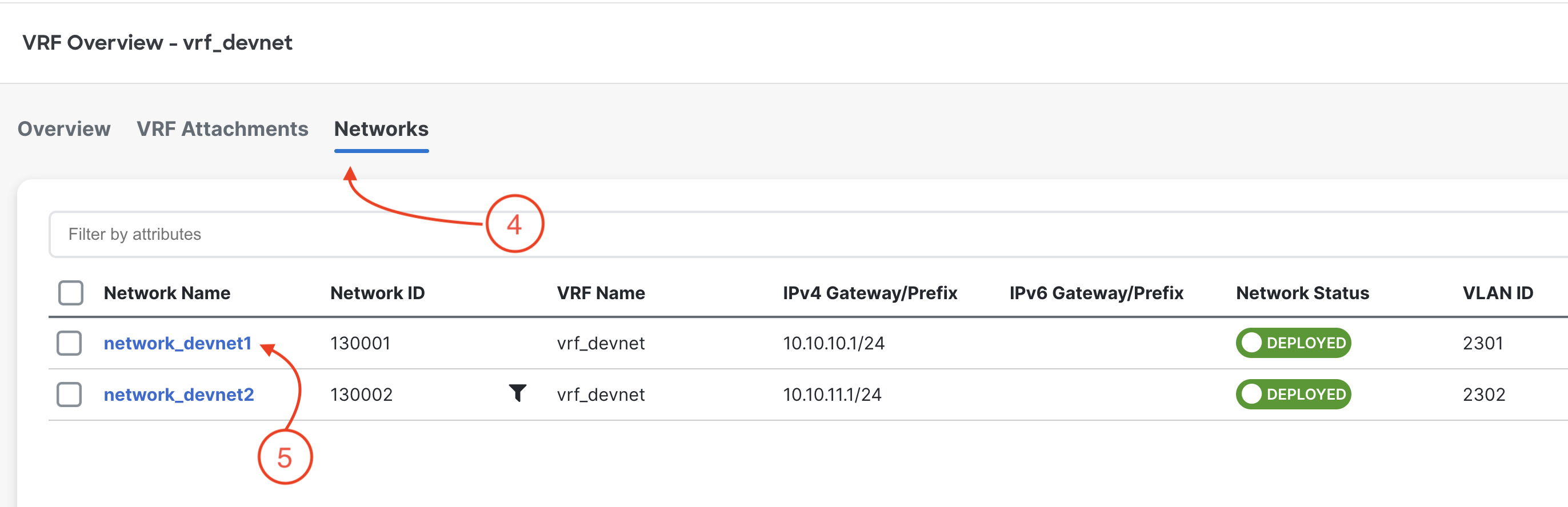
network_devnet1 and network_devnet2 are created
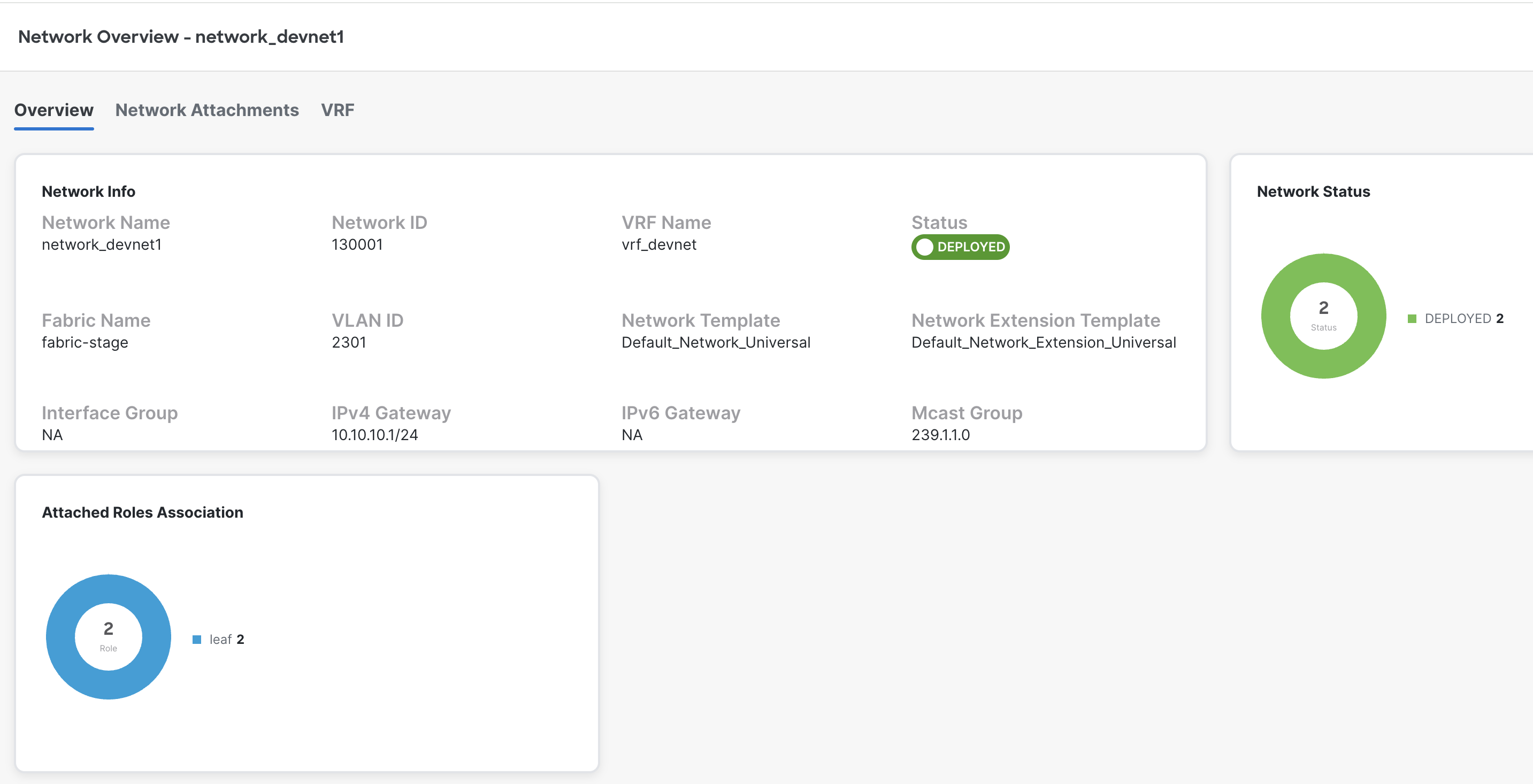
network_devnet1 is attached to
both leaf switches.