
Before starting this task, make sure you are on the 'stage' branch
git branch --show-current
stage
Create the local Ansible configuration and requirement files used by the lab. The
cisco.nac_dc_vxlan collection is the primary collection for this lab. The cisco.dcnm
collection remains in the requirements file because it provides the supported ND connection and module layer used by
NaC.
cat << EOF > ~/workspace/CiscoLive/DEVWKS-3928/ansible.cfg
# Enables Ansible callback plugins that show runtime and task profiling output.
[defaults]
callback_whitelist=ansible.posix.timer,ansible.posix.profile_tasks,ansible.posix.profile_roles
callbacks_enabled=ansible.posix.timer,ansible.posix.profile_tasks,ansible.posix.profile_roles
bin_ansible_callbacks = True
EOF

cat << EOF > ~/workspace/CiscoLive/DEVWKS-3928/requirements.yaml
# Lists the Ansible collections required by the NaC lab and CI pipeline.
---
collections:
  - name: community.general
    version: 10.1.0
  - name: ansible.posix
    version: 2.0.0
  - name: ansible.utils
    version: 5.1.2
  - name: ansible.netcommon
    version: 7.1.0
  - name: cisco.dcnm
    version: 3.12.0
  - name: cisco.nac_dc_vxlan
    version: 0.8.0
EOF

cat << EOF > ~/workspace/CiscoLive/DEVWKS-3928/requirements.txt
# Lists Python packages used by Ansible, linting, validation, and NaC test tooling.
ansible-core>=2.14.0,<2.19.0
ansible-lint
jmespath
nac-yaml==1.0.0
nac-validate==1.0.0
macaddress
netaddr
packaging
requests
EOF
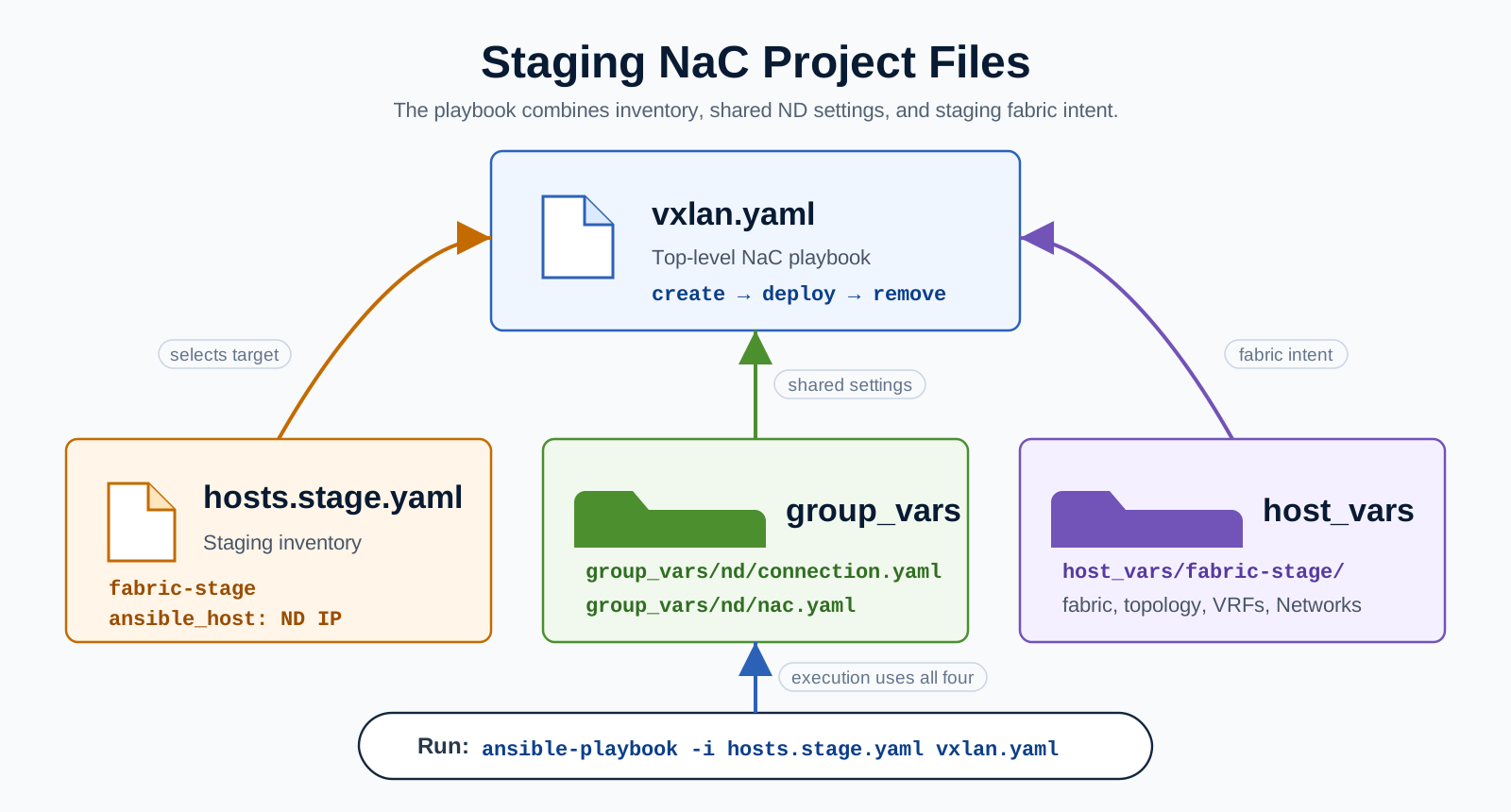
The top level playbook is called vxlan.yaml. It stays the same for staging and production because the
fabric-specific intent lives in the inventory and host_vars files.
cat << EOF > ~/workspace/CiscoLive/DEVWKS-3928/vxlan.yaml
---
- name: Build VXLAN EVPN fabric with NaC
  hosts: all
  any_errors_fatal: true
  gather_facts: false
  roles:
    # Prepare service model for all subsequent roles
    # Note - The validate role is run automatically as a prerequisite to the create, deploy, and remove roles.
    #
    # - role: cisco.nac_dc_vxlan.validate
    # -----------------------
    # DataCenter Roles
    #   Role: cisco.nac_dc_vxlan.dtc manages direct to controller ND workflows
    #
    - role: cisco.nac_dc_vxlan.dtc.create
      tags:
        - role_create
    - role: cisco.nac_dc_vxlan.dtc.deploy
      tags:
        - role_deploy
    - role: cisco.nac_dc_vxlan.dtc.remove
      tags:
        - role_remove
EOF
The validate role merges and checks the data model. The create role creates or updates the
ND fabric intent. The deploy role deploys that intent to the switches. The remove role is
included for completeness, but deletion is controlled by explicit delete-mode variables and is not enabled by default.
Every NaC fabric has a folder under host_vars. The folder name matches the inventory host name and
represents the fabric that the model applies to. The base fabric file gives NaC the fabric name and type, while the
topology file defines the staging switches, roles, and management IP addresses.
mkdir -p ~/workspace/CiscoLive/DEVWKS-3928/host_vars/fabric-stage
cat << EOF > ~/workspace/CiscoLive/DEVWKS-3928/host_vars/fabric-stage/fabric.nac.yaml
---
vxlan:
  fabric:
    name: fabric-stage
    type: VXLAN_EVPN
  global:
    ibgp:
      bgp_asn: "65001"
EOF

cat << EOF > ~/workspace/CiscoLive/DEVWKS-3928/host_vars/fabric-stage/topology.nac.yaml
---
vxlan:
  topology:
    switches:
      - name: staging-spine1
        serial_number: 9H0KEZ39JG0
        role: spine
        management:
          default_gateway_v4: 10.15.1.1
          management_ipv4_address: 10.15.1.11

      - name: staging-leaf1
        serial_number: 9YR93TD86FF
        role: leaf
        management:
          default_gateway_v4: 10.15.1.1
          management_ipv4_address: 10.15.1.12

      - name: staging-leaf2
        serial_number: 9569YWESCLA
        role: leaf
        management:
          default_gateway_v4: 10.15.1.1
          management_ipv4_address: 10.15.1.13
EOF